
A creator can spend an hour trimming a Reel, choosing text overlays, and rewriting the caption, then drop the same background track under it that they used last week. That is not always a problem, but repeated audio can make very different posts feel oddly similar. The opposite approach—searching from scratch for every video—also wastes time. A more practical middle ground is to create a small set of tracks for recurring post types. An AI Song tool can help with that job because the starting point can be a plain-language description rather than a finished composition.
Think in Post Types, Not Individual Songs
Most creators do not actually publish random content.
A fitness creator may rotate between tutorials, progress clips, personal updates, and quick tips. A fashion account may post outfit transitions, styling advice, behind-the-scenes footage, and slower editorial clips. A small café may have preparation videos, menu reveals, staff moments, and customer-facing announcements.
Each format has a different pace. That means each one benefits from a different kind of background music.
Instead of asking, “What song should I use today?” ask, “What kind of post is this?” Once that is clear, the music brief becomes easier.
A tutorial might need a steady instrumental that stays out of the way. A fast transition video can handle a stronger beat. A personal update may work better with softer music that does not make the post feel overproduced.
Build a Four-Track Starter Set
You do not need a huge library. Four clear roles are enough to start.
1. The Tutorial Track
This track supports spoken explanation or on-screen instructions.
Keep it simple. Avoid vocals when the creator is talking. Ask for a steady rhythm and moderate energy so the music keeps the video moving without fighting the voice.
A skincare creator, for example, might use one light instrumental family for step-by-step routines. The exact clip can change while the audio style remains familiar.
2. The Fast Reveal Track
This is for before-and-after clips, outfit changes, food reveals, desk transformations, or fast edits.
The music should give the editor obvious points to cut around. A clear beat and immediate energy are more useful than a long cinematic introduction.
3. The Story Track
Personal posts often need less musical pressure.
A creator talking about a difficult week, a behind-the-scenes problem, or a small milestone may want warm, restrained background music. The job is not to manufacture drama. It is to keep the clip from feeling empty while leaving the voice in front.
4. The Brand-Moment Track
This is the slightly more polished option for launches, channel trailers, pinned posts, or recurring series intros.
It can be more recognizable than everyday background music, but it should still fit the creator’s actual tone. A playful account does not need an oversized cinematic anthem just because the post is important.
Use Specific Prompts Without Writing Music Theory
Good music direction can be written in ordinary English.
A weak prompt might say, “cool music for Instagram.” A stronger prompt would say, “bright instrumental pop with a clean beat, playful energy, no vocals, suitable for quick outfit transitions.”
That second version tells the system what the track should feel like and what it should not contain.
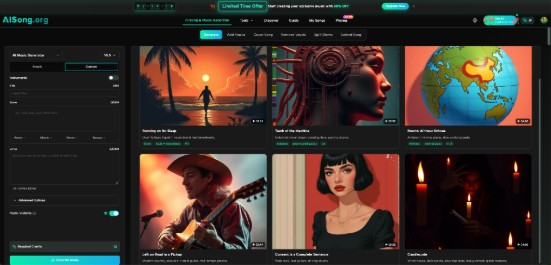
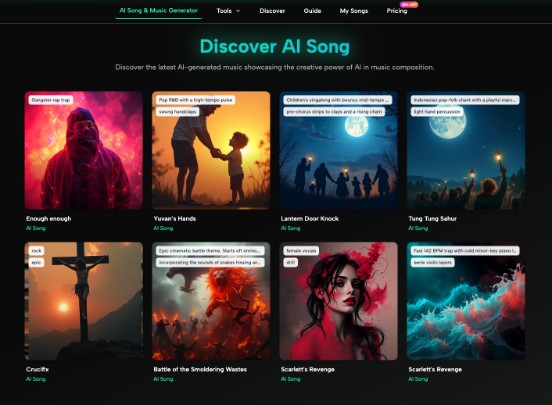
With an AI Music Generator, creators can test this kind of direction quickly. AISong’s current generator provides Simple and Custom modes and supports instrumental creation, which makes the Simple workflow especially relevant when the creator needs background music rather than a lyric-driven song.
You do not need to mention every possible instrument. Start with four pieces of information: mood, energy, whether vocals are wanted, and the content type.
For example:
- “soft instrumental, warm and casual, low energy, for a spoken morning routine”
- “punchy electronic beat, playful and clean, no vocals, for a fast product-free desk makeover”
- “gentle acoustic pop instrumental, reflective but not sad, for a personal update”
These are creative directions, not technical specifications.
Match the First Seconds to the Video
A track with a beautiful twenty-second buildup may work poorly under a twelve-second Reel. The creator should listen specifically to the opening section rather than judging the entire piece.
Drop the track into the edit and play the first three seconds. Does the post feel like it starts immediately, or does it feel as if the music is still waiting for something?
If the opening is too slow, try a different version or begin at a more useful point in the track where appropriate. Do not force a clip to match music that was never a good fit.
This is also why having several track roles is useful. The reveal track can start strongly. The story track can enter gently. They do not need to behave the same way.
Do Not Confuse Consistency With Repetition
Creators often hear that they need a “consistent brand,” then interpret that as using the same audio, colors, framing, and editing rhythm forever.
Consistency is broader than repetition.
Two tracks can feel related because they share similar energy, instrumentation, or mood even if the melodies are different. A creator can keep a recognizable overall tone while still giving each post room to breathe.
Think of a wardrobe. A person can have a clear style without wearing the same shirt every day.
The same idea works for audio. A small family of background tracks can make a feed feel more intentional without making every Reel sound identical.
Keep Music Secondary to the Content
There is an easy mistake to make once generating tracks becomes convenient: spending more time on the music than on the post.
For most short-form creators, audio is supporting material. The hook, visual action, spoken point, or story still has to work.
Before changing the music again, ask whether the actual problem is somewhere else. If viewers cannot understand the first sentence, a better beat will not fix it. If the clip is visually slow, stronger music may only disguise that problem for a moment.
A useful rule is to make the video readable first, then use music to support its pace and tone.
For spoken content, test the final mix on phone speakers. The creator’s voice should remain easy to follow. If the background track keeps pulling attention away from the message, lower it or choose something simpler.
Save the Prompt With the Content Category
The best efficiency gain may be organizational rather than musical.
When a creator finds a direction that works, save the description beside the content category. “Tutorial — warm minimal instrumental, steady beat, no vocals” is far more useful three weeks later than trying to remember which adjectives produced a good result.
The next time that post type returns, the creator already has a starting point. The prompt can be adjusted slightly for season, mood, or pace instead of rebuilt from zero.
This creates a repeatable system without turning the account into a template factory.
Conclusion
Short-form creators do not need hundreds of background tracks. They need a few clearly different audio roles that match the content they already make. A tutorial, fast reveal, personal story, and recurring intro each ask music to do a different job, so treating them as one category usually creates extra work or repetitive results.
Start by looking at your last ten posts and grouping them into three or four recurring formats. Then create one musical direction for each group and test it inside a real edit, not in isolation. The goal is not to make the music the star. It is to make choosing background audio faster, more deliberate, and better matched to the post.